
An SEO audit is not a one-time fix. It is a diagnostic process that reveals why your site is underperforming, what is silently capping your growth, and where the fastest wins are hiding. Most audits fail because they are unstructured: people run a tool, export a spreadsheet with thousands of rows, and have no idea what to prioritize.
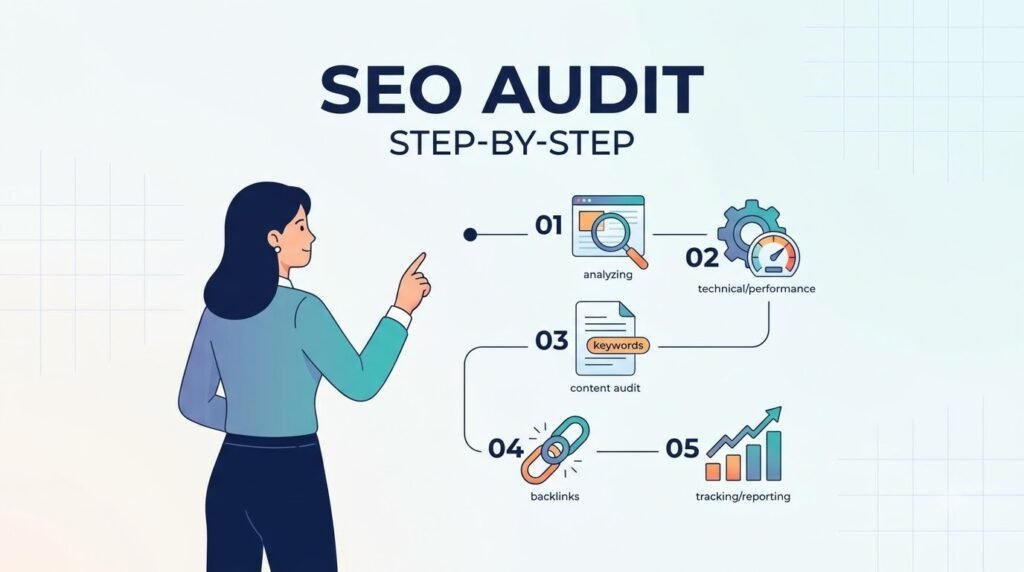
This guide provides a structured, step-by-step process for performing an SEO audit that actually leads to action. It covers technical health, on-page optimization, content quality, backlink profile, and competitive positioning—in the order that makes sense.
What an SEO Audit Actually Is (and Isn’t)
An SEO audit is a comprehensive assessment of your website’s ability to be crawled, indexed, and ranked by search engines, as well as its ability to satisfy user intent. It examines technical infrastructure, content quality, on-page signals, and off-page authority.
An SEO audit is not:
- A list of every error a crawling tool can find
- A one-time task you complete and forget
- A replacement for ongoing SEO strategy
An audit is a snapshot that tells you where you stand and what to fix first. The output should be a prioritized action plan, not a data dump.
Step 1: Start with Google Search Console (Before Any Paid Tool)
Before you touch Screaming Frog, Ahrefs, or Semrush, open Google Search Console. It is free, it is Google’s own data, and it reveals issues no third-party tool can perfectly replicate.
Search Console helps you confirm that Google can find and crawl your site, fix indexing problems, view search traffic data, receive alerts about issues, and see which sites link to you.
What to Check in Search Console First
Indexing Coverage: Navigate to the Pages report under Indexing. Look for:
- Pages excluded due to “Crawled – currently not indexed” (Google found the page but chose not to index it—often a quality or duplication issue)
- Pages blocked by robots.txt
- Soft 404 errors (pages that return a 200 status but look like errors to Google)
- Server errors (5xx) that prevent crawling
Sitemap Status: Locate the Sitemaps report. Verify that Google has successfully processed your sitemap. Check for warnings or errors. Compare the number of URLs submitted against the number indexed. A large discrepancy signals indexing problems. Ensure your sitemap only includes indexable URLs—including noindex pages, canonicals, and redirects in your sitemap wastes crawl budget.
Core Web Vitals: Search Console reports field data from real users. Check the Core Web Vitals report to see which URLs are classified as “Poor” or “Needs Improvement.” This is more reliable than lab data alone.
Manual Actions and Security Issues: Check the Manual Actions report for any penalties. Check the Security Issues report for malware or hacking flags. These are urgent—fix them before anything else.
Step 2: Run a Full Technical Crawl
With Search Console providing the baseline, use a crawling tool to get a complete picture of your site’s technical health. Screaming Frog (free up to 500 URLs) or Sitebulb are standard choices.
What to Look For in a Technical Crawl
Broken Internal Links (404s): Every broken link wastes crawl budget and frustrates users. Export the 404 report and fix each one by restoring the page, redirecting to a relevant live page, or removing the link.
Redirect Chains: A redirect chain occurs when URL A redirects to B, which redirects to C. Each hop leaks link equity and adds latency. Update internal links to point directly to the final destination.
Duplicate Content and Canonical Issues: Check for pages with missing canonical tags, canonicals pointing to non-indexable URLs, or conflicting canonicals. This is especially common on e-commerce sites where filters and session variables generate multiple URLs for the same product.
Heading Structure: Verify that each page has exactly one H1 and that heading levels are not skipped (e.g., jumping from H1 to H4). Poor heading structure confuses both search engines and screen readers.
Thin Content: Identify pages with very little unique text. These dilute site quality and should be expanded, consolidated, or removed.
Orphan Pages: Pages with no internal links pointing to them are effectively invisible to crawlers. Use the crawl data to identify orphans and link to them from relevant pages.
Step 3: Audit Site Speed and Core Web Vitals
Site speed is not just a ranking factor—it is a user experience factor. Google uses Core Web Vitals as a signal of real-world performance. The three metrics and their thresholds are:
- Largest Contentful Paint (LCP): Measures perceived load speed. Good is ≤2.5 seconds; poor is >4.0 seconds .
- Interaction to Next Paint (INP): Measures responsiveness. Good is ≤200 milliseconds; poor is >500 milliseconds .
- Cumulative Layout Shift (CLS): Measures visual stability. Good is ≤0.1; poor is >0.25 .
Use PageSpeed Insights to test individual URLs and Search Console for site-wide field data. Common fixes include compressing images, deferring non-critical JavaScript, using browser caching, and upgrading to faster hosting .
Do not stop at Core Web Vitals. Check the number of HTTP requests, server response time (TTFB), and whether CSS and JavaScript files are minified and combined where appropriate.
Step 4: Evaluate On-Page Optimization
On-page SEO is where many sites leave easy wins on the table. Audit the following elements across your most important pages:
Title Tags and Meta Descriptions
Every indexable page should have a unique title tag that includes the target keyword, ideally under 60 characters to avoid truncation. Meta descriptions should be 155–160 characters, include the keyword naturally, and provide a compelling reason to click.
Look for:
- Duplicate titles across multiple pages
- Missing titles or descriptions
- Titles that are too long or stuffed with keywords
- Descriptions that do not match page content
Keyword Targeting and Intent Alignment
For each important page, ask: Does this page target a clear keyword? Does the content format match what already ranks for that keyword? If page one is full of product pages, a blog post will struggle. If page one is full of how-to guides, a sales page will fail.
Identify pages where the target keyword appears in the URL, title, H1, at least one H2, and body copy—but not stuffed unnaturally.
Internal Linking
Internal links distribute authority and help Google understand your site structure. Audit for:
- Pages with too few internal links pointing to them
- Anchor text that is generic (“click here”) rather than descriptive
- Topic clusters that are not properly linked (pillar pages should link to supporting articles and vice versa)
Step 5: Audit Content Quality and Coverage
Content is where technical fixes meet user intent. An audit must assess not just whether pages are technically sound, but whether they deserve to rank.
Content Gaps
Content gaps are topics your audience searches for that your site does not cover. Identify them by comparing your keyword rankings against competitors. Look for keywords where you rank on page two or three—these are easier wins than topics where you have no presence at all . Use competitor analysis to see which keywords they rank for that you do not.
Content Decay
Review older content for declining traffic or outdated information. Pages that once ranked well but have slipped are prime candidates for refresh: update statistics, add new sections based on current queries, improve formatting, and republish with an updated date.
E-E-A-T Signals
Google evaluates content on Experience, Expertise, Authoritativeness, and Trustworthiness. Audit for:
- Author bios with real credentials (not “Admin”)
- First-hand experience demonstrated through original images, screenshots, or case studies
- Citations to authoritative sources
- Clear contact information and about pages
Step 6: Review Structured Data
Structured data (schema markup) helps search engines understand your content and can earn rich results like star ratings, FAQ dropdowns, and product information. During an audit, check that markup is implemented correctly and that pages displaying rich results are still doing so .
Use Google’s Rich Results Test to validate individual URLs. Check Search Console’s Rich Results report for site-wide errors. Common issues include missing required fields, invalid property values, and markup that does not match visible content.
If you are missing schema entirely, prioritize the types most relevant to your site: Article, Product, FAQ, HowTo, LocalBusiness, and BreadcrumbList.
Step 7: Audit Your Backlink Profile
Backlinks remain a critical authority signal, but quality matters far more than quantity. An audit should reveal both opportunities and risks.
What to Check
Spammy or Toxic Links: Identify links from low-quality, irrelevant, or spammy sites. Google’s disavow tool exists for cases where you have received a manual penalty, but it should be a last resort—not a routine cleanup task . Focus instead on earning high-quality links.
Referring Domain Quality: Are your backlinks coming from relevant, authoritative sites in your niche, or from directories and forums? A single link from a respected industry publication outweighs dozens from low-quality sources.
Anchor Text Distribution: Over-optimized anchor text (exact-match keywords repeated too often) can look manipulative. A natural profile includes brand names, URLs, generic phrases, and some keyword-rich anchors.
Competitor Backlink Gaps: Use tools like Ahrefs or Semrush to see which sites link to competitors but not to you. These are outreach targets.
Step 8: Competitive Analysis
An audit that only looks inward misses the context. Compare your site against two or three direct competitors to understand where you stand.
Key comparison points include:
- Keywords they rank for that you do not
- Keywords they have lost that you could capture
- Number and quality of backlinks
- Site speed and Core Web Vitals scores
- Content depth and freshness
This analysis reveals opportunities that a purely technical audit would miss. If a competitor ranks for a high-intent keyword with a thin page, that is a gap you can fill with a better resource.
Step 9: Prioritize and Build an Action Plan
An audit without prioritization is just a list of problems. The final step is to organize findings into a sequenced action plan.
Prioritization Framework
Urgent and high-impact (fix immediately):
- Manual actions or security issues
- Server errors preventing crawling
- Broken redirects on high-traffic pages
- Indexing blocks on important pages
High-impact, moderate effort (next 30 days):
- Core Web Vitals failures on key templates
- Missing or duplicate title tags on top pages
- Content gaps for high-intent keywords
- Internal linking improvements
Ongoing maintenance (quarterly):
- Backlink monitoring
- Content refreshes
- Sitemap and robots.txt review
- Structured data validation
Document each issue with its location, severity, recommended fix, and owner. A spreadsheet with columns for URL, issue type, priority, and status is sufficient.
Conclusion: An Audit Is a Starting Point, Not a Finish Line
Performing an SEO audit from scratch requires discipline: start with Search Console, crawl the site, measure performance, assess content and authority, compare against competitors, then prioritize ruthlessly. The goal is not to fix everything at once. It is to fix the things that matter most, in the order that unlocks the fastest progress.
Run a full audit quarterly, and a lighter technical check monthly. The sites that win at SEO are not the ones that audit once and declare victory—they are the ones that treat auditing as an ongoing habit.
Frequently Asked Questions
How often should I perform an SEO audit?
A full audit quarterly is sufficient for most sites. Technical checks (broken links, indexing errors) should be monthly. After a major site migration or redesign, audit immediately.
What tools do I need for an SEO audit?
Google Search Console is essential and free. Screaming Frog (free up to 500 URLs) handles technical crawling. PageSpeed Insights covers performance. Ahrefs, Semrush, or Moz are useful for backlinks and competitive analysis but not strictly required to start.
How long does an SEO audit take?
For a small site (under 500 pages), a thorough audit takes 4–8 hours. Larger sites with complex templates and thousands of URLs can take days. The prioritization phase often takes as long as the data collection.
What is the most important thing to fix first?
Anything preventing Google from crawling or indexing your important pages. After that, fix technical errors on high-traffic pages, then address content gaps and on-page optimization.
Can I audit my own site without an SEO background?
Yes. Start with Search Console and follow a structured checklist. Free tools and guides from Google Search Central provide reliable guidance. For competitive industries or large sites, a consultant can validate your findings.